
Contents
- 1 What is a DDoS Attack?
- 2 E-commerce Case Studies & Security Incident Reports
- 3 Incident Report: The “Perfect Storm” Forensic Recovery and Hardening Case Study
- 4 How to prevent a DDoS Attack?
- 5 DoS Attack Examples & Experiences
- 6 Does VPS Resilience mitigate DDoS Attacks?
- 7 DDoS Mitigation
- 8 Article References:
- 9 Written by Ben Kemp - WP Security Consultant
What is a DDoS Attack?
DDoS attacks are sometimes a premeditated campaign by a business competitor eager to harm your business. Or perhaps an ex-member of your staff or a disgruntled customer. They are often generated by criminals for extortion (ransomware attacks), or data theft for sale, or commercial espionage to determine your wholesale rates or steal proprietary information.
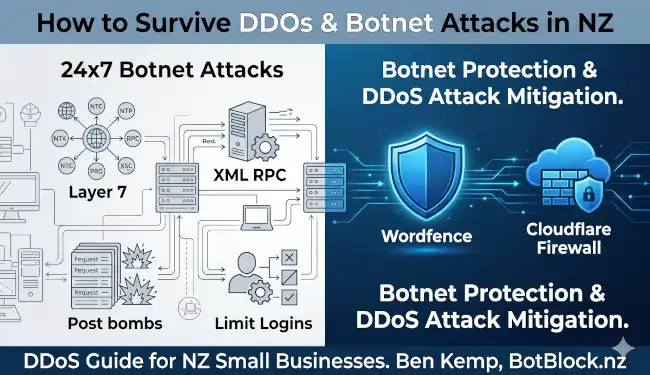
DDoS attacks on your website are invariably crafted to damage your online business in some way. This may be done by overloading your website so it becomes painfully slow to load, and unreliable in operation or offline for lengthy periods during peak visitor time periods. This can be done via DoS (denial of service) or DDoS (distributed denial of service) attacks and/or prolonged BFL (Brute Force Login) attacks. These attacks are no longer costly if outsourced on the Dark Web, estimates range from from UDS$5 to US$7 per hour.
“Ready to DIY? See my Step-by-Step Guide to Cloudflare Security Rules for WordPress.“
I offer specialised protection against botnet attacks and traffic spikes as part of my comprehensive WordPress security services & site hardening designed for NZ businesses. What knowledge I have has been earned the hard way – at the bleeding edge of customer support, trying to protect my own VPS and the client sites it contains, plus client sites on other hosting providers’ servers…
Several years ago, my VPS came under a sustained and severe attack that rendered it unusable for hours on end. At the time, I was surprised by the lack of (non-technical) guidelines available online to help me find ways to reduce the impact of what was being done to my server. Since then, I’ve also assisted a number of clients to extricate their website from DDoS attacks by a combination of both network DDoS protection AND migration to premium hosting with both server-level DDoS protection and enhanced security.
I deal with these “digital neighbourhoods” daily. For someone managing 60+ clients, understanding the distinction between “background radiation” and an “active siege” is critical for your sanity and their security.
“Normal” Activity vs. Screening
On a typical small business website, 40% to 55% of all traffic is automated.
- The Breakdown: About 15% is “Good Bots” (Google, Bing, site monitors), and 25-40% is “Bad Bots.”
- Apparently, Cloudflare filters out upwards of 80% of the background “static”through its worldwide threat mitgation network. Most of what your clients see in their analytics is the “clean” human traffic, while the “Firewall Events” log in Cloudflare shows the graveyard of blocked attempts.
The “Active Threat” Threshold
Background noise becomes an active threat when it shifts from probing to persistent exploitation.
- The Numbers: For a small site, more than 500-1,000 blocked events in a 24-hour period from a single IP or a specific ASN (network provider) is a red flag.
- Target Points in Logs:
- 404 Spikes: A bot looking for /admin, /.env, or /wp-content/plugins/old-plugin/.
- Login Failures: A surge in POST requests to your login URL.
- High Request-Per-IP: A single user agent requesting 50+ pages in one minute.
Low and Slow: The Silent Threat
Yes indeed… Sophisticated botnets – especially those targeting financial data – really do use “Low and Slow” tactics.
Instead of 10,000 requests in 1 minute (which triggers rate limiting), they might do 1 request every 5 minutes from 1,000 different “clean” residential IP addresses. This mimics a human user perfectly and is designed specifically to bypass traditional firewall rules. Some of these guys are real sneaky…
This is why botnet management analyis using behavioral pattern recongnition is now as, if not more, important than traditional IP blocking.
Ransomware: Volume vs. Stealth
Ransomware attackers generally avoid high-volume attacks initially.
- The Breach: They prefer stealth and subterfuge. They want to creep in via a single compromised credential or an itty-bitty unpatched vulnerability (Layer 7).
- High Volume Attacks: High-volume DDoS is often used as a diversion. They flood and drown your server with traffic so your IT team is so damned busy just trying to keep the site up. While you’re not looking, the sneaky bastards are deftly moving sideways through your network to encrypt your database!
- The triple threat extortion”: In 2026, some groups will 1. encrypt your data, 2. steal it and offer it for dispersal, and then 3. launch a DDoS attack to pressure you into paying.
Full list of known/named botnets and DDoS operators targeting Australia and New Zealand.
E-commerce Case Studies & Security Incident Reports
If you are in a competitive niche with cut-thoat competitors, remember that DDoS-for-hire services typically cost just US$5 to $7 per hour. Meanwhile, the average business stands to lose around US$234,000 in downtime, recovery costs, and lost revenue.
Foreign attackers have control of multiple websites throughout NZ!
In February/March 2026, DDoS attacks are using NZ-based residential proxies to flood the New Zealand business websites with complex search queries.
- Residential Proxy “Spoofing”: A large volume of traffic was coming from NZ-based residential ISPs (like Spark and Voyager). This confirms that the botnet was able to heavily use hijacked NZ home internet connections to try and bypass the country-level filters usually applied in local NZ incidents. THAT IS A WAKEUP CALL…
Incident Report: The “Perfect Storm” Forensic Recovery and Hardening Case Study
- Site: Teaching Resources Shop
- Business Location: Tauranga, New Zealand
- Server Location: Fastcomet
- Dates: 14th – 17th February 2026
Author: Ben Kemp – Senior WooCommerce Support
G’day! Ben Kemp here from Website Maintenance Services NZ. We’ve just wrapped up a major forensic recovery and infrastructure hardening project for the membership platform at Top Teaching Tasks Members
Over the last four days, the site didn’t just have a “bad day”—it suffered a classic cascading failure. This was a scenario where a small application conflict creates a resource bottleneck, which then crashes the database and jams the background task runner. At the same time, whilst effecting repairs, we experienced an external bot attack by someone with an interest in damaging the business’s activities. This is not the first time it’s occurred, and the site owner is familiar with the need to activate “Under Attack” mode.
This report is designed to be an educational case study. I’ll walk you through exactly how we navigated this “perfect storm” to get the site back to peak health and onto a strict “database diet.”
Contents
- Incident Report: The “Perfect Storm” Forensic Recovery and Hardening Case Study.
- 1. Initial Crisis: The Digital Traffic Jam (Errors 524 & 522)
- The Advice from Fastcomet
- Our Remedy and Why.
- 2. Discovery of the 9.1 GB “I/O Bomb” (Error Log Bloat)
- What the error indicated?
- Our Remedy and Why.
- 3. Structural Damage: The Posts Table Crash.
- What the error indicated?
- Our Remedy and Why.
- 4. The Action Scheduler “Logjam”.
- What the error indicated.
- Our Remedy and Why.
- 5. Bot Attack Recognition and Staging Cleanup
- What the error indicated?
- Our Remedy and Why.
- 6. The PHP “Hard Reset” and Recovery Verification.
- What went wrong?.
- What the error indicated?
- Our Remedy and Why.
- 7. Modernizing the Architecture (InnoDB & HPOS)
- What went wrong?.
- Our Remedy and Why.
- 8. Final Challenge: Putting the Database on a Diet
- Current State.
- Completed “Diet” Actions.
- 9. Recovery Verification (TOP Output Analysis)
- Summary Checklist and Future Steps.
1. Initial Crisis: The Digital Traffic Jam (Errors 524 & 522)
What went wrong?
The owner and members reported that the site was completely inaccessible, showing Cloudflare error pages. Initially, it was a 524 error, which eventually worsened into a 522 error.
What the errors indicated
These codes aren’t random; they tell us exactly where the “conversation” between the visitor and the server broke down.
| Status Code | Meaning | Internal State |
| Error 524 | A Timeout Occurred | Cloudflare reached the server, but the server didn’t send data back within 100 seconds. It was “thinking” but stuck. |
| Error 522 | Connection Timed Out | The server was so overwhelmed it couldn’t even establish a basic TCP handshake to “pick up the phone” . |
The Advice from Fastcomet
The technicians insisted this was a “Cloudflare-side error” and told us to deactivate the proxy on the “A” record (switching from the “Orange Cloud” to “DNS Only”).
Our Remedy and Why
I disagreed and refused this risky advice because in my experience, disabling the proxy is a dangerous “symptom suppression” tactic. It would have removed the Cloudflare error page, but the visitor would have just seen a blank white screen with the Cloudflare error for two minutes. Most importantly, it would have exposed the origin server’s direct IP address to attackers, which is a massive security risk during a DDoS event.
As sure as God made little green apples, I sure as hell wasn’t going to reveal that origin server IP Address! This isn’t the first DDoS attack on this website, and last time (late 2025) we relocated the website from A2 Hosting to Fascomet while on Cloudflare. Specifically, to ensure that nobody could possibly know that IP address and target it directly.
What I have seen over the years is that the instant consequences of disabling the Cloudflare proxy is to transfer the full weight and drama of the entire DDoS attack onto the web server! That’s precisely not what’s needed when you’re trying to block an attack; it would be the dumbest move possible.
Instead, we turned on the Cloudflare “Under Attack” mode to slow things down a bit. That gave some breathing room while I got busy trying to determine what the methodology was behind the attack.
However, it became apparent that we were being hurt by multiple problems at once, from an attacker, from the legacy of previous developers who hadn’t tidied up, from errors overwhelming the error_log file, and from the massive “table locking” database still on MyISAM format instead of the more efficient InnoDB format.
2. Discovery of the 9.1 GB “I/O Bomb” (Error Log Bloat)
What went wrong?
While hunting through the website’s files for potential bottlenecks, I found a single text file – the error_log – that had grown to a staggering 9.1 GB.
What the error indicated
On shared hosting, a file this size is a disaster. Every time a member clicked a page, the server tried to append a new line to this file. Because it was so huge, the server’s disks were “thrashing” just trying to find the end of the file. This creates I/O Wait ($wa$), where the CPU sits idle doing nothing because it’s waiting for the slow hard drive to finish writing logs.
Our Remedy and Why
We had to stop the “bleeding” immediately:
- Immediate Deletion: We nuked the 9.1 GB log to give the disk immediate relief.
- Silencing the Debug: We found a conflict in WP Rocket (a feed_base property error in PHP 8) firing thousands of times per minute. We updated `wp-config.php` to stop these minor warnings from hitting the disk.
Code added to wp-config.php:
PHP
define('WP_DEBUG', false);
define('WP_DEBUG_LOG', false);
3. Structural Damage: The Posts Table Crash
What went wrong?
Even after the log was deleted, the site was “hanging.” The fresh log showed a critical error:
Table ‘posts’ is marked as crashed and should be repaired.
What the error indicated
The posts table is the “heart” of a WordPress site. Because the server was so overwhelmed by the 9GB log file, a database write was likely interrupted mid-sentence, leaving the table corrupted. Because the membership plans live in this table, the site couldn’t process permission checks, causing a total freeze.
Our Remedy and Why
We used phpMyAdmin to run a manual REPAIR and OPTIMIZE on posts.
- The Result: Table restored to “Status OK.”
- The Catch: One corrupted record was unrecoverable and discarded (418,420 rows down to 418,419).
4. The Action Scheduler “Logjam”
What went wrong?
Renewals still weren’t firing. We found a “Duplicate entry” error for key ‘PRIMARY’ in the wpaj_actionscheduler_actions table.
What the error indicated
The Action Scheduler is your website’s “alarm clock” for background tasks. The previous database crash scrambled the ID numbers. Every time WP Rocket or WooCommerce tried to set an “alarm” for a renewal, it failed because it tried to use an ID number that already existed.
Our Remedy and Why
We ran a “Hard Reset” on the background tasks by truncating (emptying) the four Action Scheduler tables. This cleared the jam and allowed the system to start fresh with a clean sequence of ID numbers.
5. Bot Attack Recognition and Staging Cleanup
What went wrong?
The site was stable only when Cloudflare’s “Under Attack” mode was ON. Turning it off brought back the 524 timeouts.
What the error indicated
This confirmed an external bot attack , . Fastcomet eventually acknowledged that a DDoS attack was in progress. We also discovered bots were hammering 5 old staging and backup subdomains sitting above the /public_html/ directory. This is a direct consequence of developer incompetence: creating staging sites in subdomains instead of subdirectories, and not “cleaning up” afterwards.
Our Remedy and Why
- Directory Purge: We deleted those five old directories to remove the metadata burden from the server.
- DNS Hardening: We deleted the old A-records, SPF, and DKIM records for those subdomains so traffic is blocked at the Cloudflare edge.
- WAF Rules: We created custom rules in Cloudflare to challenge any POST requests to the Cart, Checkout, login, xml-rpc, and WooCommerce Store API.
6. The PHP “Hard Reset” and Recovery Verification
What went wrong?
Even after fixing the database, our system monitors showed a PHP worker (PID 151338) hanging for over 6 minutes.
What the error indicated
On the Fastcoment shared hosting, we have a strict Entry Process (EP) limit of 20. If 20 old scripts are “stuck” in a zombie state from the previous crash, no new members can get in.
Our Remedy and Why
We performed a Hard Reset by toggling the PHP version in cPanel (8.3 to 8.2 and back). This forces the server to kill every active process for your account and start a clean pool.
7. Modernising the Architecture (InnoDB & HPOS)
What went wrong?
The store was using the MyISAM engine. MyISAM uses “Table-Level Locking”—meaning if one bot hits the cart, the entire posts table is locked for everyone else.
Our Remedy and Why
- InnoDB Conversion: We had Fastcomet convert all 139 tables to InnoDB. This engine uses “Row-Level Locking,” allowing the server to handle renewals and visitors simultaneously.
- HPOS Implementation: We have successfully enabled High-Performance Order Storage (HPOS). This moves our 11,000+ orders into optimised, dedicated tables, making queries up to 90% faster.
8. Final Challenge: Putting the Database on a Diet
Current State
Our database was 1.6 GB, and the wpaj_postmeta table has a staggering 4.5 million rows. This is why the admin dashboard felt “sticky”—every search had to sift through millions of old records.
Completed “Diet” Actions
- Trim Revisions: We added code to wp-config.php to limit WordPress to saving only the 5 most recent versions of any post.
- Code Added: define(‘WP_POST_REVISIONS’, 5).
- Preloader War Resolved: We disabled the Super Page Cache preloader as it was competing with WP Rocket for those 20 Entry Process slots.
- Manual Renewal Recovery: The site owner has now manually processed renewals for Nicxxx (#64xxx) and others who had the red question mark (lost “alarm clocks”). These are now back in the automated cycle.
9. Recovery Verification (TOP Output Analysis)
Looking at the terminal image from our final session, the server has fully recovered:
- Healthy Idle State: CPU is 87.4% idle.
- Disk Relief: our I/O Wait ($wa$) has dropped to a negligible 0.2%.
- Memory: We have 3.6 GB of free physical memory available.
Summary Checklist and Future Steps
- [x] 9.1GB Log Purged & Debugging Silenced
- [x] Posts Table Repaired & Optimised
- [x] Action Scheduler “Hard Reset”
- [x] Old Staging Folders & Dangling DNS Deleted
- [x] WAF Rules for Store API Created
- [x] InnoDB Conversion Completed
- [x] HPOS Synchronisation Completed
- [x] Manual Renewals (Nicxxx, etc.) Re-synced
- [x] Post Revisions Limited in wp-config.php
- [x ] Flipped HPOS Authoritative Switch (after initial 7-day dual-write test).
- [x] Used Advanced Database Cleaner PRO to purge orphaned metadata from the 11,000 old order rows.
Ben’s Summary: We’ve done the hard yards on the technical side. We’ve fixed the engine, reinforced the chassis, and built a massive (fire)wall at the front gate. The website is now in the best technical shape it’s been in for years!
Cheers,
Ben Kemp
Senior WooCommerce Support
Over the last two weeks of February 2026, I’ve been caught up in some very disturbing DDoS situations. One on my own websites, where a presumed competitor apparently thought it might be advantageous to have my website/s rendered inoperable.
The other attack targeted a client in Tauranga who operates two very busy websites selling educational resources. 10 days ago, website performance began to degrade, and it quickly became obvious that this was much more than the low-level Denial of Service attacks she had previously experienced, starting about 4 months ago.
It also became clear that this was now more than one person involved, and they were simultaneously trying to take down both websites using different tactics. Both sites were rendered almost unusable throughout Saturday, 28th March. We had them on Cloudflare, on “Under Attack” mode, and it took me hours to get the firewall Security Rules tight enough to slow the attacks, restart stalled server processes and restore some functionality.
The techniques used were very sophisticated, and as one line of attack failed, they promptly switched to a different tactic. I was running Cloudflare firewall log file extractions every 30 minutes throughout Saturday… Then, running the log files through Gemini AI for analysis, getting the Security Rules revised, and reloading them to Cloudflare. It took 14 hours to slow the attacks down and to get the websites working again.
These people had control of multiple websites throughout NZ. Attackers were using NZ-based residential proxies to flood the site with complex search queries.
- Residential Proxy “Spoofing”: A large volume of traffic was coming from NZ-based residential ISPs (like Spark and Voyager). This confirms that the botnet was able to heavily use hijacked NZ home internet connections to try to bypass the country-level filter we had applied. THAT IS A WAKEUP CALL…
By Sunday evening, we were back in full control of both websites, all functionality was restored, and zero impact was occurring from the attacks, which continue throughout today (Monday)…
The things that saved us were:
- Having Cloudflare already deployed results in better performance and resilience.
- One site had just been converted to the WooCommerce HPOS (High Performance Order System), which requires a database table format update to InnoDB. We got A2 Hosting to switch the other site to InnoDB while under fire. The DDoS attack had already broken one of the database tables, which needed tech support to repair and optimise it.
- Having Gemini AI and a set of well-tested Prompts saved and ready to deploy from my own battle earlier in the week
- And having premium-grade hosting – one site on A2 in Singapore, the other on a Fastcomet Cloud 3 VPS in Sydney.
On my own sites, the battle was brutal – but I certainly learned some valuable skills.
Future-proofing websites requires optimisation of the Cloudflare caching rules that now allow Edge caching:
– Where you have better control of WHAT gets cached, and if it’s pushed worldwide.
– Getting pages pushed out from the Singapore data centre and into the Auckland/Sydney/California/EU Cloudflare locations dramatically improves page delivery speed and further reduces the load on the origin server.
Cloudflare Firewall Security Rules should be preemptive:
Rather than waiting for an attack to begin, and then figuring out what to do, you should:
- Implement a fundamental set of Cloudflare Security Rules that cover all the “normal” attack formats. Then, if you suspect things are slowing down, you’ve got instant access to live firewall log reports to see what is going on.
- Harden the server to protect from direct attacks (shroud it so it can’t even be seen)
- Implement a set of high-performance Cloudflare Caching Rules so you get the ‘free’ load speed boost
- Ensure that your WordPress database is in the high-performance InnoDB format, which does “row-level” locking and multi-tasking. As distinct from the classic MyISAM format, in which every “write” action locks the table until completion, creating instant bottlenecks during a rapid-fire DDoS attack.
- If you use Woocommerce, ensure its running on HPOS.
But it may take you a week or more to regain control of your website during a high-intensity attack! And the emergency hourly rate will be brutal!
Cloudflare has a FREE plan – that’s what I used on both the above examples.
– Getting it all configured is obviously not a 5-minute process.
– But if ever “an ounce of prevention is worth a pound of cure” then this is it!
How to prevent a DDoS Attack?
You can’t prevent a DDoS attack because the decision just isn’t yours to make. Botnets are forever searching for new victims, and DDoS operators are hunting 24x7x365. That said, you definitely CAN take prophylactic measures to ensure your website is well protected and hardened against attacks at multiple levels. Pre-emptive DDoS protection services are an important step in ensuring that a DDoS attack doesn’t take your website down when it occurs. DDoS attack mitigation is about steps you can take in the event of an attack while it is in progress… This is a technically challenging scenario.
Invariably, if your website is on a normal Shared Hosting plan, you probably don’t have a Cloudflare plan either. And even if you do, there are hours of work in customising your Security Rules to defend against the specific type of attack you are facing. When that starts to take effect, your attacker has probably already figured out what your IP Address is from the historical records at somewhere like SecurityTrails.com.
When the attacker knows your IP address, he/she can potentially bypass the Cloudflare firewall – unless you know how to overcome that by adding a custom mod_rewrite text block into your website’s .htaccess, you are defenceless.
There’s a 2-step dance needed to get out of the line of fire:
- Get the site onto Cloudflare first. That gets your IP address “proxied,” so it’s not readily exposed and can’t be recorded.
- Now you can apply a set of Security Rules to slow the attacker down while you determine exactly what type of attack it is, and what the optimal Security Rules are to defend against it.
- As soon as you are on Cloudflare, you may then need to get your website IP address changed. Do that while you are behind the screen that Cloudflare provides! Either your hosting provider can shift you to a new server, issue a static IP Address OR you can quickly change to a premium shared hosting plan. Providers like A2 Hosting or Fastcomet have high-end shared hosting options with more resilience than a “cheap and cheerful” hosting plan.
- Pray that you have a good backup…
Once you have a new hosting plan, the hardest part can be getting a working version of your website loaded up on it and tested.
I’ve had a few experiences like this before… any attack, and I’m getting the client onto Cloudflare ASAP, AND insisting on an IP Address change, one way or another.
DoS Attack Examples & Experiences
2026 DDoS Attack
In late February, I was flattered to discover that my own business was the subject of a Layer 7 Post Bomb attack. I didn’t realise that I was that important… But perhaps a direct competitor providing website maintenance services felt threatened by my long-overdue revamp of my website, and that I was making rapid search engine ranking gains. My website was looking much more attractive to potential new customers, and I had expanded my maintenance plan offerings…
This attack was a much bigger and far more sophisticated challenge than I’ve ever dealt with before. A couple of database tables got corrupted, and the website server almost melted from the 6Gb of swap files thrashing the NvME drives… It took some getting under control because the bombardment of POST requests with 800kb attachments overwhelmed the ability of the server to process requests. The attacks were being launched at multiple points on the website architecture and were coming in microbursts from multiple data centres in multiple countries.
2025 DDoS Attack
In late 2025, an Auckland client (TopTeachingTasksMembers.com) was being harassed by a series of DDoS attacks, we assume by an unscrupulous competitor. By attacking during peak membership access times, this was severely impacting the website’s performance and usability. My solution was to relocate the site from A2Hosting to new hosting provider, under the cover of a Cloudflare account with DDoS protection. This prevented the attacker from discovering the site’s new IP Address. We implemented Cloudflare Security Rules. Problem solved…
2022 DDoS Attack & DDoS Mitigation Example:
I provide SEO consultancy to a Wellington retailer. Their e-commerce website was subjected to thousands of Brute Force Login attacks over many months throughout 2022. These were repelled via a web application firewall and tight brute-force login protection. We are convinced that this was a deliberate campaign by an aggressive wholesale business owner who was furious at having his product supply overtures declined. When the hacking attacks failed to crack the site’s security, the attack profile shifted to DDoS attacks at peak times.
A DDoS attack at peak times is very effective at stopping business transactions. Both the front end and back end of the website are unusable. These attacks were sustained for a few minutes and came at 10 to 15-minute intervals. Basically, the site is crippled for the duration of the attacks. When the attack eases off, you can log in and/or commence a purchase – but the attack resumes before you can complete your task. The site times out, or gives server errors etc.
The attack can target either the Domain Name or the IP Address…
What We Did to Mitigate Attacks
The first step in DDoS mitigation services was to shift the site to Cloudflare – they provide free network-level DDoS services along with other layers of security. There are two challenges to resolve:
- An E-commerce site needs a means to ensure the cart and account pages etc are not indexed by Cloudflare. The fastest and most cost-effective way to do this is to use Cloudflare’s WordPress APO service which costs US$5 per month.
- At this point, the Domain is shielded from DDoS attacks, but not the IP address. Cloudflare proxies the IP address, which makes it slightly more difficult for an attacker, but some online research on historical IP Addresses for the domain will quickly reveal the last known IP the site used. So, now that Cloudflare was operational, we then changed the Hosting Plan so the site now operated on a new IP Address on a completely different server. The IP Address is never revealed so the site is now completely shielded from DDoS attacks by Cloudflare.
In mitigating this attack, we also made a second hosting switch to A2Hosting’s premium Turbo Hosting. This provided server-level DDoS, enhanced security tools plus exceptional performance via Litespeed server, NVMe drives, HTTP/3 etc.. I used this plan myself and I was happy to recommend A2Hosting!
We also implemented Cloudflare Firewall Rules to block all countries EXCEPT New Zealand and known good bots such as approved search engines etc.
DDoS attacks may or may not be coming from genuine IP Addresses, or spoofed addresses. Regardless of that, it stands to reason that if you restrict the pool of IP Addresses that can access the site to New Zealand addresses only, you minimise the resources that can be arrayed against the target.
How well did that DDoS mitigation succeed?
Basically, the problem ended abruptly. No further disruptions to the website have occurred since the above process was completed.
Other Security Topics
Does VPS Resilience mitigate DDoS Attacks?
When the DDoS attacks and BFL attacks on my own server first began (a Monday), the server load jumped from the usual 3 – 4 to a massive 239, and the disruption was sustained for almost an hour. All sites were inaccessible, as were WHM and cPanel. The exim stats database was corrupted and required repair.
Attacks continued daily throughout the week, with the impact declining with each step taken… On Tuesday the server load hit 170, but on Wednesday after adding in the Syn Flood protection and starting the installation of firewall software on sites that were being hit hardest, the load peaked at 49 but everything kept running.
By Friday, all sites had firewall software installed, and the peak server load during the daily attack reached 9 – things slowed down but nothing broke. It was also possible to monitor what was happening on WHM – to see which sites were being targeted, and what was consuming server resources.
DDoS Mitigation
At that point, I began a DDoS mitigation process by targeting resource-intensive plugins and their settings, completed the installation of a caching plugin on all sites, and added Heartbeat Control on all sites. Backups on all sites were set to off-peak hours. Cloudflare was added to the busiest sites…
Since all of that effort was completed, the server load has not exceeded 5, and for much of the time runs at .85 to 1.5 with occasional spikes to 4. Overall, things are in much better shape than before!
Because I had to make up the game plan day by day, it took longer than it needed to have due to the research required in each stage.
This article was produced in the hope that it might help someone else confronted by similar circumstances. If that’s your situation, I wish you good luck – and if you need help, feel free to ask.
“Ready to stop worrying about downtime? Learn more about my managed WordPress security services and get protected today.”
Article References:
- Cloudflare – what is a DDoS-attack?
- Cloudflare – Understanding Cloudflare DDoS protection
- Amazon – DDoS attack protection/
Page last updated on Friday, June 19, 2026 by the author Ben Kemp